What was once just a Statistics module has grown into a multi-faceted Church Reporting application and just completed its 4th season of use. 🙌
Church Reporting was, and is, GSS’s response to decreasing District and Conference staff numbers and budgets. The primary focus of Church Reporting is to put the tools in the hands of the local church for tasks they are primarily responsible for completing, thereby removing the district/ conference staff as the “middle-man” thus reducing the staff work load.
Local churches have long followed this model with Statistical reporting, and in fact, that was the primary function in Church Reporting, as we wanted to build the new platform with what folks were already familiar with. But it has become much, much more! Churches now have ONE application in which to complete all their Conference related data-entry tasks.
Church Reporting currently includes:
- Church Reports (Charge Conference Checklist, Church & Clergy Profiles)
- Local Church Leadership
- Statistics
- Compensation (Coming soon)
Church Reports
Church Reports is comprised of a few different functions, the first being the Charge Conf Checklist.
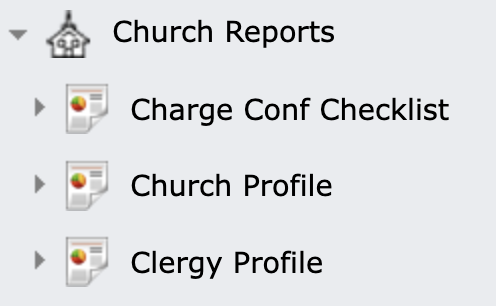
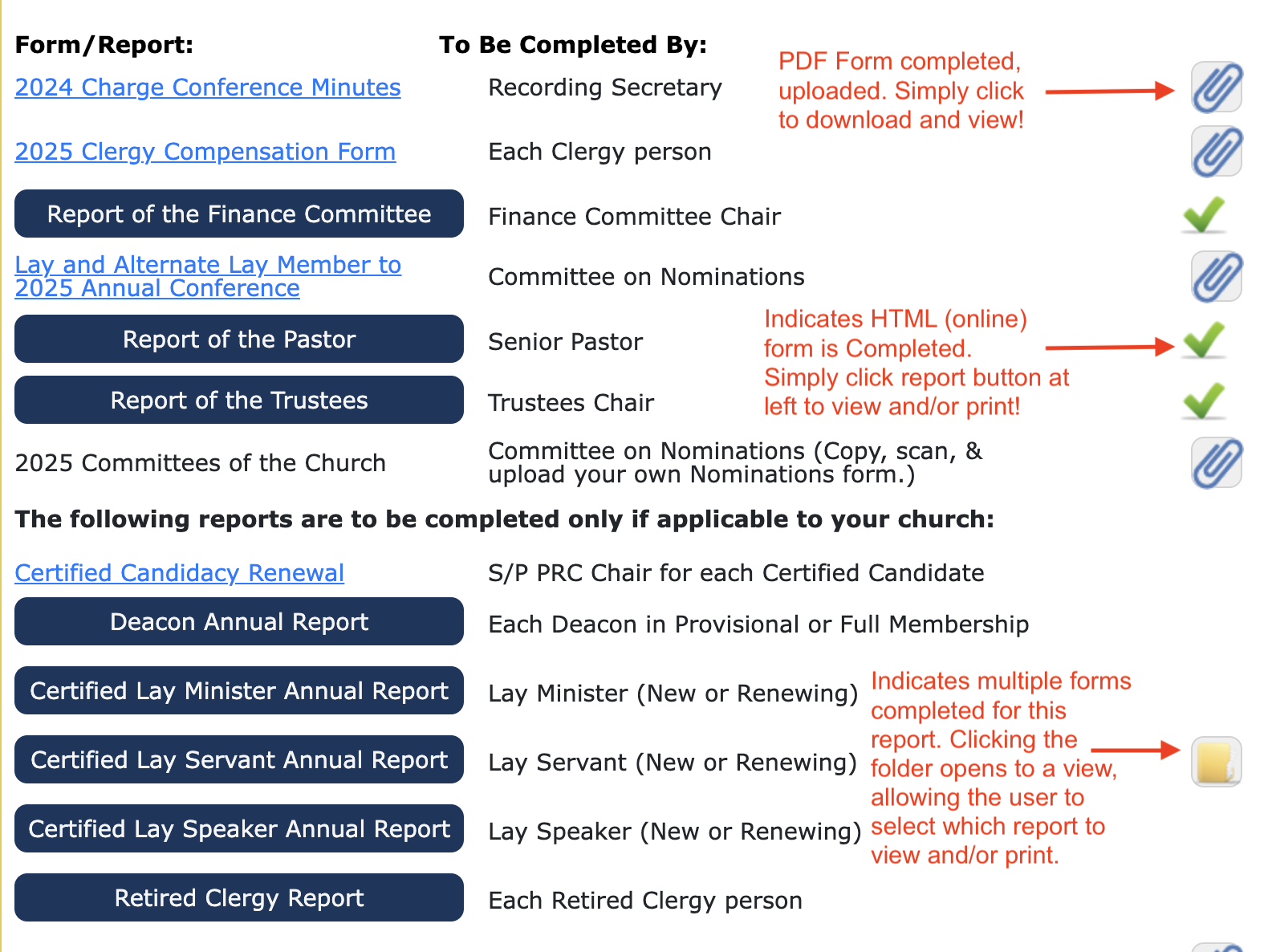
Do you realize how much paperwork changes hands every year with Charge Conference reporting? We do! Which is why GSS made it paperless! Save The Trees🌲!!! Each church sees a list of all of their required and optional Charge Conference reports. Per a conference’s selection, each document can be completed either as a fillable PDF that is then uploaded for storage on our server, or the same information in an HTML (online) form from which responses are stored directly into the database upon saving. Like Statistics, admins have an immediate view of the progress each church has made in completing required forms. And forms are accessible and printable for the current year and every past year the Charge Conf Checklist has been used. Like Local Church Leadership, this function is simple and straightforward to use, and as in all of the Church Reporting functions, the user can enter data, save, and return later as often as needed until completed.
Here is just one example of how a Church’s Charge Conf Checklist might look:
Church Profile and Clergy Profile Functions
The Church and Clergy Profiles are also a part of the Church Reports. Each of these is tied to an individual’s PRIVATE User Account. The S/PPRC Chair of each Church (or Charge) receives an SPRC Account which has sole access to complete the Church Profile, and the Pastor uses his/her personal Pastor Account to complete the Clergy Profile.
The uniqueness of the profiles are that they are fully customized to questions or information designed by the Cabinet, in order to have what they deem as pertinent information to assist in the task of setting appointments for the upcoming year. Data for these profiles is secure and encrypted for confidentiality. There are strict permissions in place to prevent access by the Pastor to the Church Profile, with the exception made if the Conference chooses, to allow it to be viewed only after completion.
The Profiles often contain basic information like:
- Contact Information
- Citizenship, Ethnicity, other demographical data
- Education, Clergy credentials, and Specialized training/courses
but often go deeper with responses to items like:
- Appointment setting preferences (City, Urban, etc.)
- Theological stance/Beliefs
- Gifts and Strengths (as assessed by both the clergy person & S/PPRC)
- Conflicts/Issues within the current situation
- Family circumstances making itineracy a challenge
- Request for the pastor to Stay, Move, Retire, etc. in both the Clergy & Church Profiles
Since all MissionConnect applications use a single database… these responses can then be selectively imported into MissionConnect: LEAD, our application designed for use by the Cabinet, as one of the many pieces pulled together in Lead to assist in the appointment decision-making process.
Some key features to note:
- A Clergy person retains the same Pastor Account even with appointment changes.
- An S/PPRC Chair retains the same SPRC Account for their entire term as S/PPRC Chair.
- The system can be updated as often as needed to update the churches associated with a Pastor’s account. This typically occurs when there are several appointment changes such as after Annual Conference, but can be updated at any time throughout the year with our NEW Administrative Tools.
- A new SPRC Account can be generated at any time, as needed, by an admin (typically a District admin.) from directly within the Church Reporting application.
- The Cabinet receives responses to customized questions directly from the Pastor or SPRC, as typically received in a consultation, but without the need for copious note-taking!
- Pieces of data common to MissionConnect: CENTER can be verified, then Imported directly into those fields to update existing information, saving time in data entry by an admin. (Contact Information, Church Service days/times, education entries, etc.)

Conferences have long maintained data on the leadership within their local churches, but it is a challenge to be current on the ever changing addresses, phone number, and emails for those individuals! So GSS put the task on the front line of defense… the local church, which is the first to know of leadership changes as well as the first to becomes aware of contact information changes among its members. With Local Church Leadership the local church has the tools to not only keep their leadership up to date, so the Conference or District office has access to current leaders for communications, reports or other needs, but also the most up-to-date contact information for those leaders. We have had users of this application at GSS for over a decade with great success, and it is now part of the Church Reporting application. On a year-to-year basis, Local Church Leadership also has a built in admin view to immediately identify at a glance which churches have updated leadership for the new Charge Conference season, and which have not.
Features:
-
Ease of use. Our HelpDesk is always ready to assist, but we rarely, if ever get a question on how to use the Local Church Leadership. It has many automated features that make updating leadership quick and easy!
-
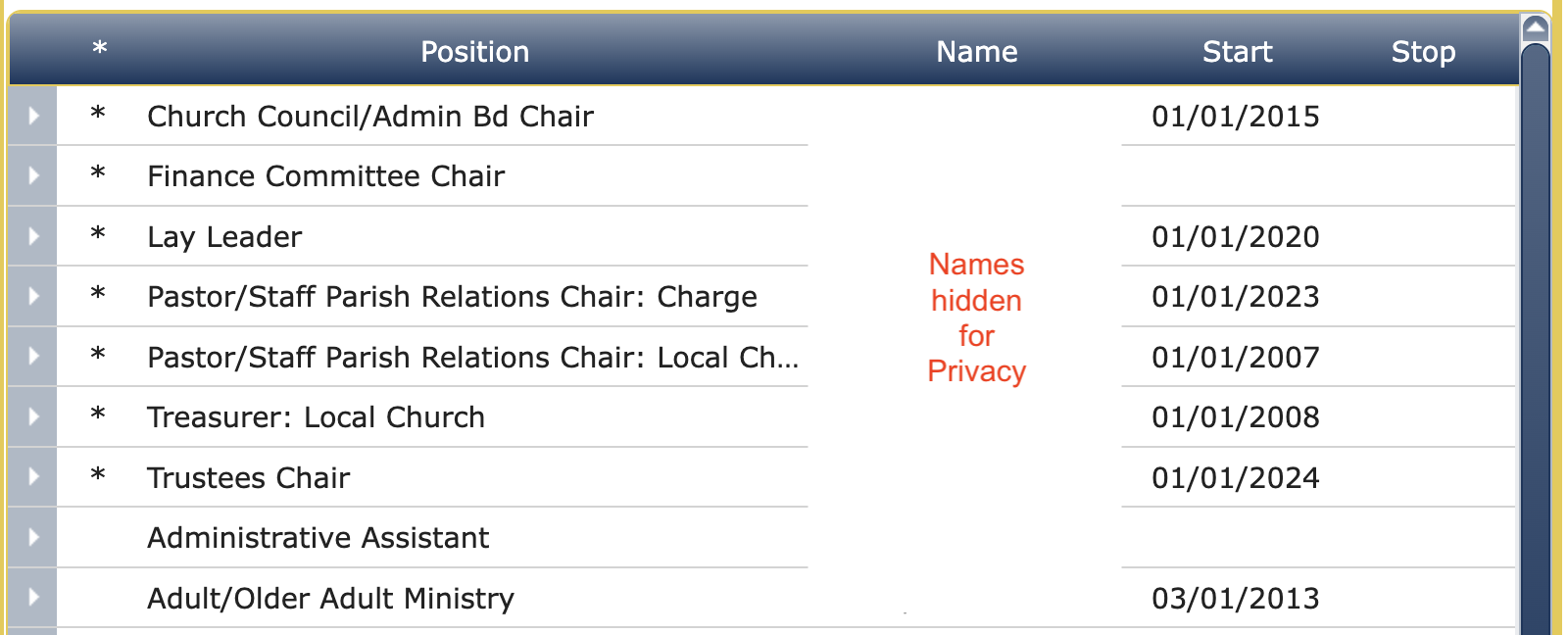
The * asterisk to the left of the position indicates the positions required to be filled, but any number of positions can be listed as determined by the conference.
-
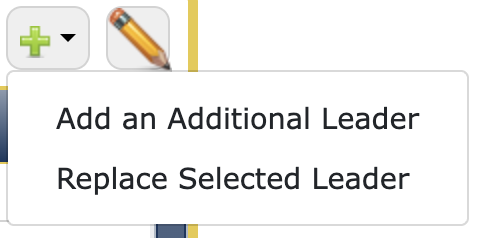
Default Start and Stop dates can be set for quick entry of leadership changes when replacing a leader, and the previous position is automatically stopped for you.
-
When selecting the new leader, an alphabetized drop-list of every person’s name associated with the church appears, for selection. This avoids duplication in the database of an existing person record, as a new person cannot be added until scrolling the full list of names.
-
The need for updates is quickly assessed by clicking the toggle to the left of the position:


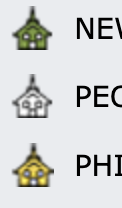

Statistics Entry – which includes Tables 1,2, and 3 reporting, as well as custom tables/statistical items for conference that request them. The church listing for admins is color-coded to identify at a glance if a church has Not Started (white) / Saved one or more entries (gold) / Completed and Submitted their Statistics (green)… and turns red after the admin has verified the completed Statistical Tables for that church. Statistics can also be printed for the church’s records, and Conference staff has access to an Export of all Church’s Statistics directly into GCFA’s AC Stats.
Other features to note:
-
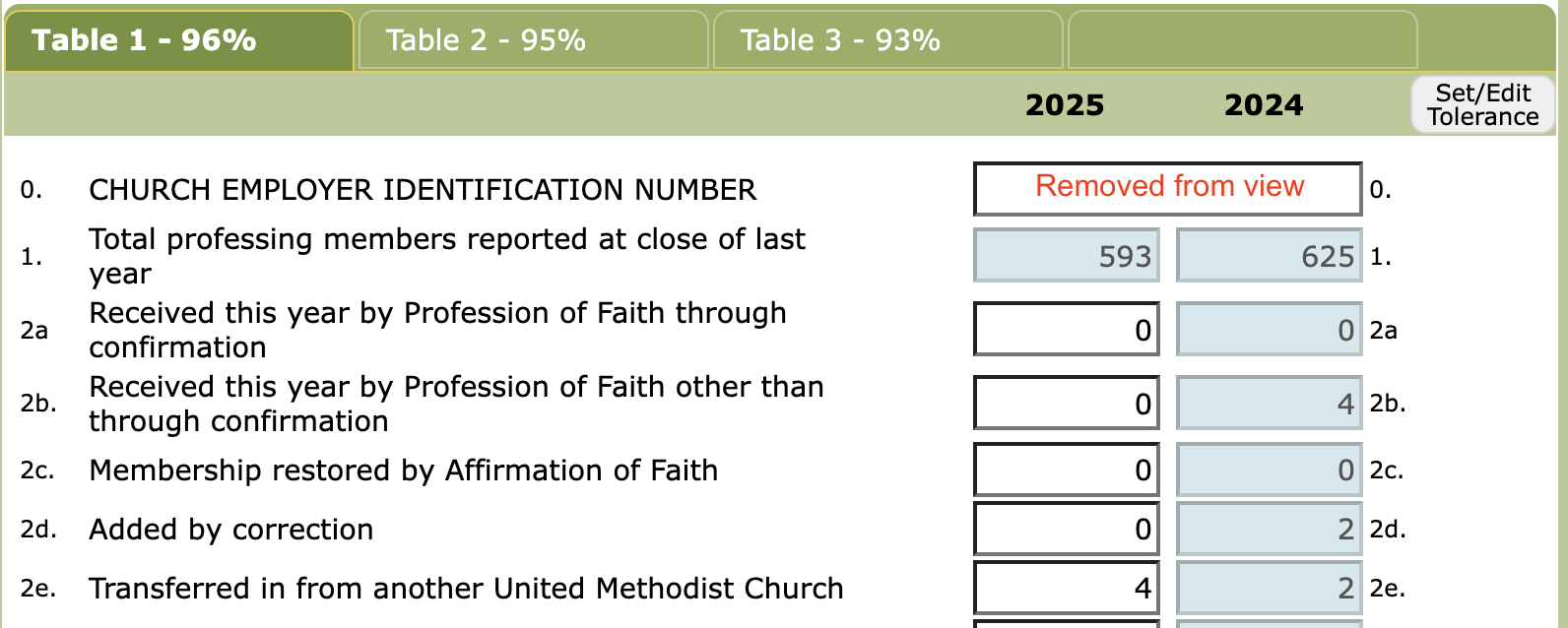
% completion of each table is always in view, as well as an indicator of the number of Tables Submitted, if 100%.
-
Auto-summing, and cross-check balancing to ensure numbers are entered correctly, with indicators for which fields are out-of-balance.
-
Tolerance flags to highlight entries which are a set % different from the prior year’s entry. This is available for ALL fields, and an overriding setting for individual fields set by the Statistician.
COMING SOON… Compensation!
This Fall 2026, just in time for the 2026 Charge Conference season, GSS will add another function to Church Reporting… Clergy COMPENSATION!
We are very excited about this, and have wanted to add it for years, but we also want it to be simple and straight-forward so that our church users can easily enter ACCURATE compensation records for their Clergy for the upcoming year. For those using it, the Compensation form will no longer be needed in their Charge Conf Checklist, as it will be done here instead!
Some of the features that will be incorporated:
- Fully customized to reflect the conference’s own Compensation (NO one-size fit all!)
- Built in formula’s for calculating items such as Compass, Pension, etc. based on the Conference’s own formulas and settings. (salary requirements, full-time/part-time, clergy credentials, etc.)
- Red-flag/Alert user on fields that do not meet Conference requirements (minimum salary, etc.)
- Auto-sum total fields
- Designed like your current spreadsheets for ease of use… with responses to questions feeding into results on the Compensation form, but with checks and balances built in.
Once a compensation record is Submitted by a Church, it will be verified by an admin (typically whomever enters the compensation records in a Conference) for accuracy BEFORE it will be allowed to be Imported directly into Center as the new Compensation record for the pastor, for the upcoming fiscal year.
We already have a few Conferences lined up to add this feature, and will be limited on how many we add in a season, as the custom configuration can be time consuming. We have made it a priority to serve those conferences first who are using Church Reporting for several other functions, as their churches are already accustomed to using the application. But we will add as many as we can possibly accomplish, so please let us know of your interest!