Our Education panel in Center continues to expand to meet the needs of our users. Not all of our conferences are aware of the many offerings within Education, so we thought we would share it here. The new tabs are available for use in your database upon request, and are considered part of Center… in other words… FREE additions!
Standard tabs in ALL databases include:
- Formal Education (often renamed as “College/Seminary”) for a person’s formal education record.
- COS (Course of Study) to track a pastor’s progress through these required courses.
- Lay Ministries for tracking courses taken by Lay Speakers, Lay Servants, and Certified Lay Ministers
- Cont Ed (Continuing Education) to track continuing education taken by clergy.
In the past few years, we added:
- Required Courses – a place to track a pastor’s compliance with Conference standards for ministry including things like Background checks, Safe Sanctuaries trainings, Boundaries trainings, Inclusiveness and more.
And our most recent addition:
- Candidacy – for candidacy tracking and SO MUCH MORE!
Each of the tracking options contains customized steps, set forth by the conference, for completion of that track as a Certified Candidate, Licensed Local Pastor, etc. With each step, it is clear exactly where the person is within the selected process.
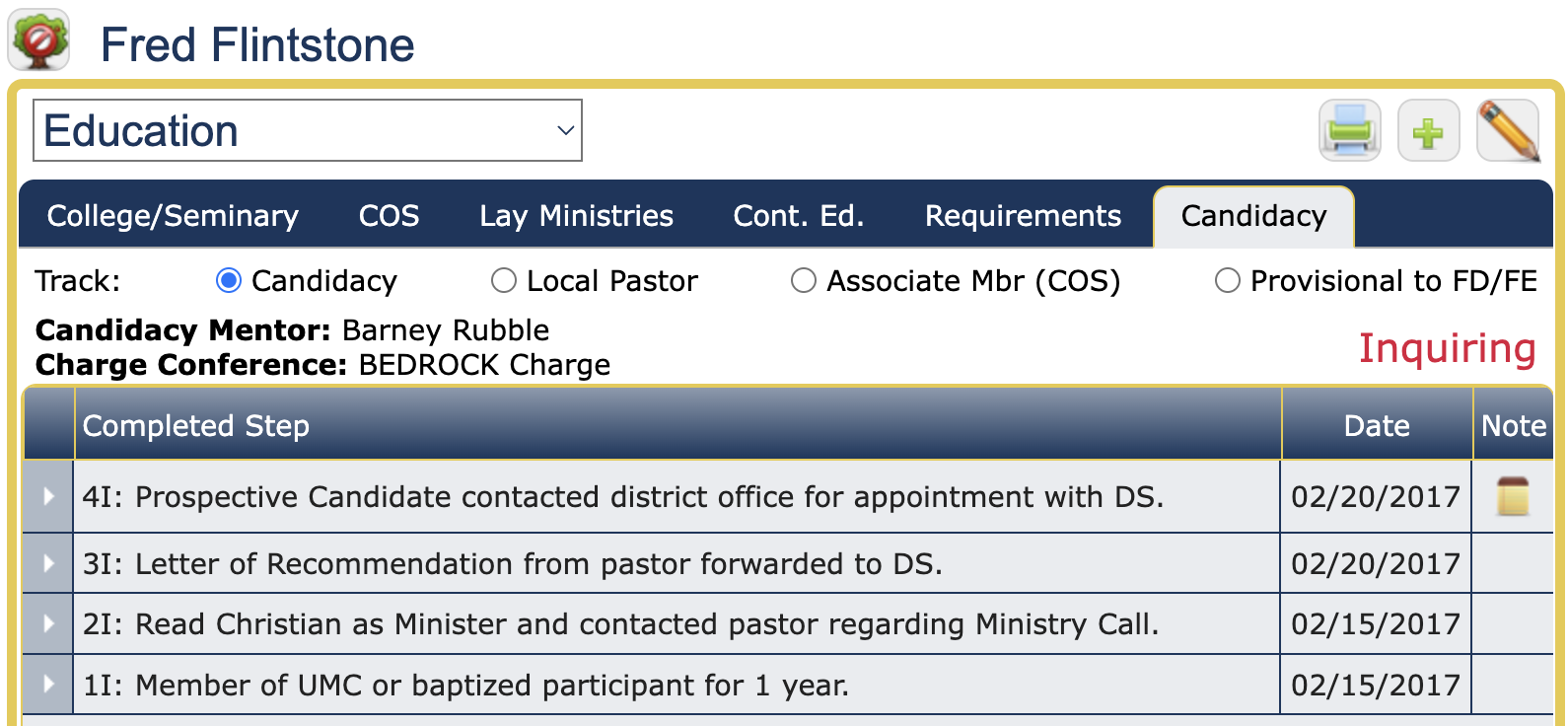
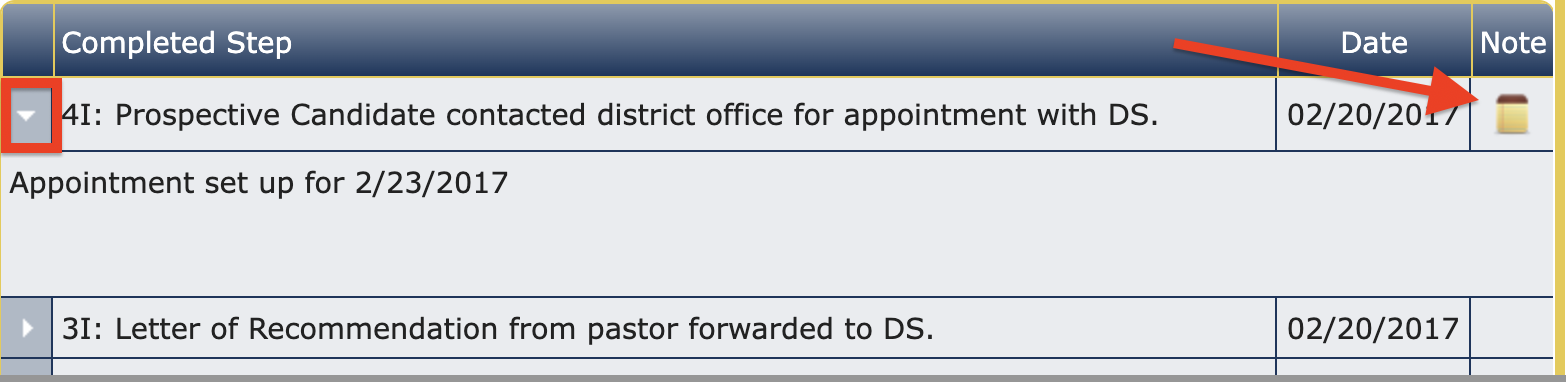
In EDIT mode, a Note can be added to a step, and will be indicated by the note icon in the grid. Quick access to that note is attained by clicking the carat at the left of that row, which makes the note visible:
Let us know if your conference wants to make use of any of the tabs you are not currently using. We will be glad to add them into your Center application.
Happy Tracking!